Adding Drug Allergy
Vision Anywhere supports the recording of both drug and non-drug allergies.
- Open an Encounter.
- Enter 'a' in the dynamic data entry bar, and tap to select the form.
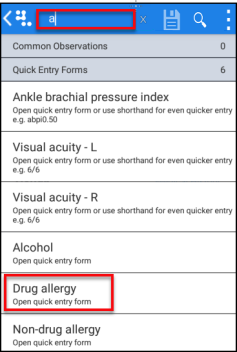
The add Drug Allergy form displays. - Select Description, and search for the clinical term for the reaction.
- Record drug name by entering the drug, as you type entries display.
You can swipe up to access more entries.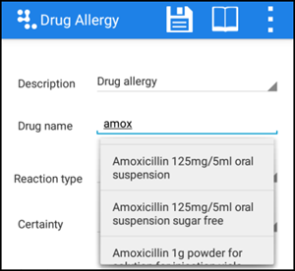
- Tap to select the drug.
- Tap the triangle to
 access the pick list and record:
- Certainty
- Severity
- Enter any comments in the Notes field.
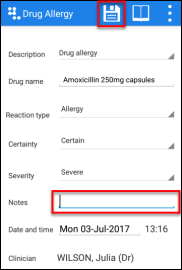
- Select Save to finish.
See - Adding Non-Drug Allergy.

